My laptop's screen brightness is auto set to maximum at login (= at the login screen already).

Even after I have adjusted it to lower it is again set to maximum after annother login. Is there a way to save the previous brightness settings in Ubuntu 12.04?

Additional Info by gentmatt:

This definitely seems to be related to the used graphics.

  • When using the discrete graphics, the brightness is set to maximum on every boot.
  • When using the integrated graphics, the brightness setting which Mac OS X has set is used.

    But Ubuntu does not change that setting. It uses the stored setting by OS X. Therefore, the brightness at login is only changed, when OS X changes the brightness.

link|improve this question
feedback

2 Answers

A possible solution: Add xbacklight -set 80 to the file .xinitrc This will set the backlight to the desired value (80) whenever X is started. .xinitrc is the configuration file responsible for the X-Server.

link|improve this answer
feedback

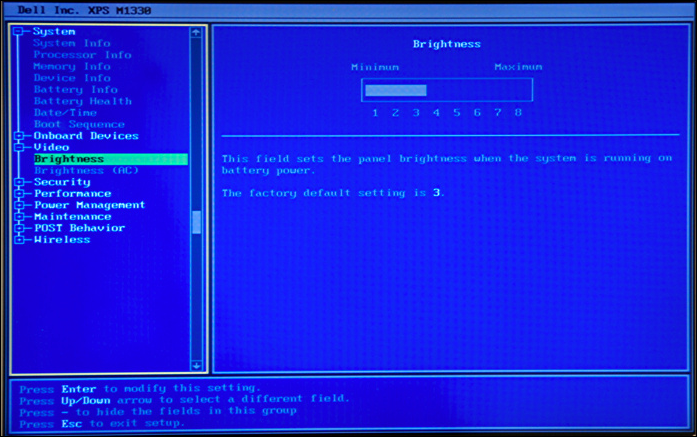
Some laptop's have that setting in the bios, like this: example

You normally press the Del or F2 button during startup to get into the bios, the key is written on the first screen you see when your computer starts.

But I'm not sure if you can change these settings from ubuntu.

link|improve this answer
I'm having this problem on a Macbook Pro. – gentmatt May 6 at 19:27
feedback

Your Answer

 
or
required, but never shown

Not the answer you're looking for? Browse other questions tagged or ask your own question.